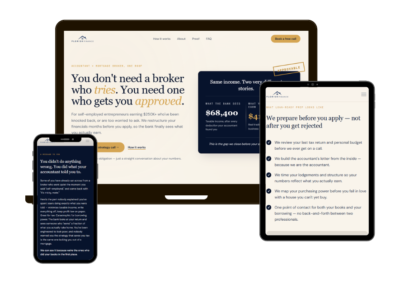
A beautiful website isn’t enough. If visitors can’t easily navigate your site or find what they’re looking for, they’ll leave fast. User experience (UX) is the bridge between your website and the people using it. When UX is broken, you lose potential leads, sales, and trust.
Let’s walk through the most common UX mistakes on business websites and how you can avoid them.
1. Cluttered Layouts That Overwhelm Users
Too many sections, conflicting colors, and multiple fonts all create visual noise. When users are overwhelmed, they don’t know where to focus or what to do next.
Takeaway for business owners: Keep it clean. Prioritize key content and calls to action. Simplicity = clarity.
2. Confusing Navigation
If users can’t find your services, pricing, or contact page within a few seconds, you’ve lost them. Complex dropdowns or buried links create unnecessary frustration.
Takeaway for business owners: Use clear, intuitive labels in your main menu. Limit menu items and follow standard layouts (logo left, menu top-right, CTA top-right).
3. Slow Load Times
Nothing kills a sale faster than a slow-loading page. Users expect sites to load within 2–3 seconds; any longer, and bounce rates climb.
Takeaway for business owners: Optimize images, use reliable hosting, and limit heavy scripts or plugins.
4. Poor Mobile Experience
If your site is hard to read or click on mobile, you’re losing more than half your audience. Mobile users expect fast, finger-friendly navigation.
Takeaway for business owners: Test your site on multiple screen sizes. Use large buttons, responsive layouts, and avoid tiny fonts or pop-ups that block content.
5. Weak or Missing CTAs
Many websites lack clear calls to action. Users land on your site, read your content… and don’t know what to do next. That’s a lost conversion.
Takeaway for business owners: Every page should guide users toward one clear action — like “Book a Call” or “Get a Quote.”
6. Inconsistent Design
Fonts, colors, and button styles vary across your site, which creates confusion and looks unprofessional. Consistency builds trust and familiarity.
Takeaway for business owners: Use a style guide or design system to keep everything cohesive. Repetition reinforces your brand.
7. Lack of Trust Signals
No testimonials, no case studies, no recognizable clients, that’s a red flag for visitors. People want to see proof that others trust you before they take action.
Takeaway for business owners: Include social proof prominently. Even a single testimonial or logo can boost credibility.
Final Thoughts: Fix UX, Win More Business
User experience isn’t just about aesthetics; it’s about guiding visitors smoothly from arrival to action. By avoiding these common UX mistakes, you create a site that not only looks great but also works hard for your business.
Want a pro UX audit or a site refresh? Let’s build something that keeps users engaged and clicking.