
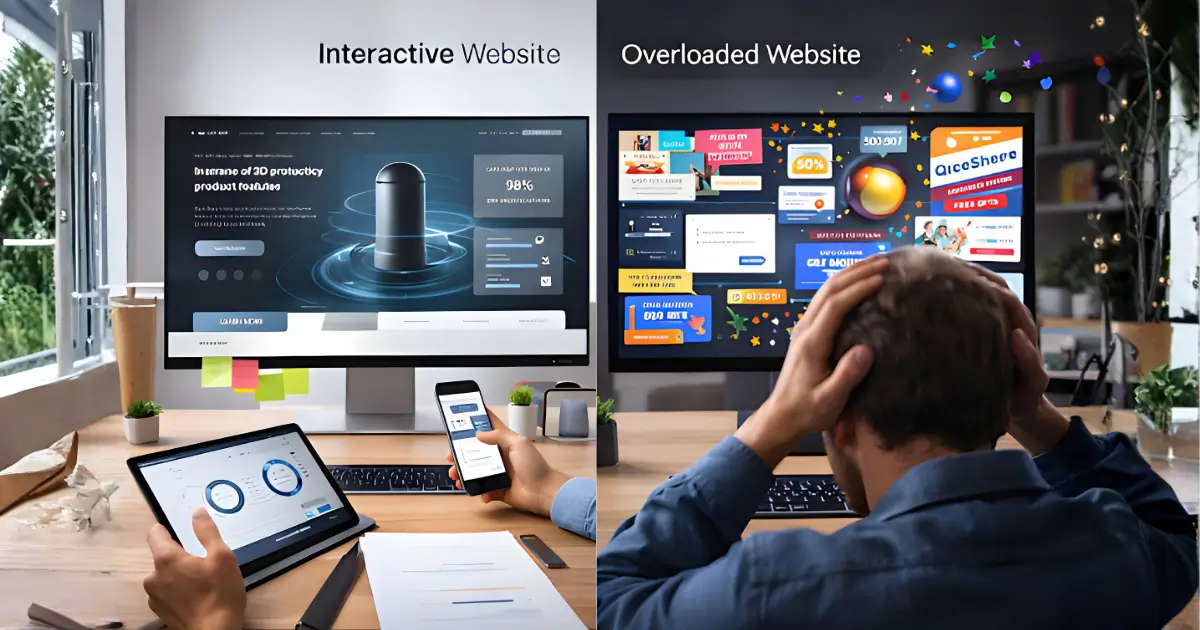
Animations, sliders, hover effects, scroll-triggered visuals, interactive websites can feel fun, futuristic, and engaging. But too much of a good thing can backfire. While interactivity can elevate user experience, it can also slow down performance or overwhelm your visitors if not done right.
So how do you know when interactivity is helping, or hurting, your business? Let’s break it down.
1. When It Helps: Engagement and Time on Site Go Up
Interactive features like image sliders, clickable elements, parallax scrolling, or quizzes can keep users interested. They invite exploration and often encourage users to stick around longer, especially if done with purpose.
Takeaway for business owners: Use interactivity to guide users through a journey. A well-placed animation or scroll effect can highlight key information and increase engagement.
2. When It Helps: Showcasing Products or Services More Clearly
3D product views, service selectors, or interactive demos help people understand your offering in a hands-on way. It’s especially useful for complex services or physical products that benefit from visual exploration.
Takeaway for business owners: If seeing is believing for your audience, interactivity can give them clarity, and confidence, to convert.
3. When It Helps: Telling a Story with Impact
Interactive storytelling, like scrolling through a timeline, watching animations unfold, or seeing statistics change live, can add emotional weight to your message. It’s a great tool for nonprofits, agencies, or any brand wanting to make a strong impression.
Takeaway for business owners: Want users to feel something? Thoughtful interactivity can drive that emotional connection.
4. When It Hurts: Slower Load Times and Frustration
Interactive websites tend to be heavier, which can mean slower loading, especially on mobile. If users have to wait more than a few seconds, you risk losing them. Overloaded sites can also feel laggy or confusing.
Takeaway for business owners: Keep performance in mind. Your animations should never get in the way of usability.
5. When It Hurts: Too Much Going On
Just because you can animate something doesn’t mean you should. If your site feels like a fireworks show of motion and effects, users may feel overwhelmed. Worse, it can distract from your main message.
Takeaway for business owners: Every interactive element should serve a purpose. If it’s not helping users take action, it’s just noise.
6. When It Hurts: Poor Mobile Experience
Some desktop interactions don’t translate well to mobile, hover effects, draggable elements, or heavy animations can break or feel awkward on smaller screens. That can quickly drive users away.
Takeaway for business owners: Always test on mobile. Make sure interactivity feels just as smooth and intuitive on a phone as it does on desktop.
Final Thoughts: Use It Strategically
Interactivity isn’t about showing off, it’s about enhancing the user experience. When done right, it can boost engagement, conversions, and brand perception. When done poorly, it can slow down your site and drive people away.
If you’re unsure what level of interactivity is right for your business, we can help you strike that perfect balance between wow-factor and usability. Contact us!
0 Comments